 Peter Dave Hello
0a628d2b8f
Peter Dave Hello
0a628d2b8f
Multiple best practices applied as below:

- Replace deprecated `MAINTAINER` with `LABEL maintainer`
- Remove additional `apt clean` as it'll be done automatically
- Use `apt-get` instead of `apt` in script, apt does not have a stable
  CLI interface, and it's for end-user.
- Put `apt-get install` & apt lists clean up in the same command
- Use `--no-install-recommends` with `apt-get install` to avoid install
  additional packages
- Use `--no-cache-dir` with `pip install` to prevent temporary cache
- Use `COPY` instead of `ADD` for files and folders
- Use spaces instead of mixing spaces with tabs to indent

Size change by the refactor, almost 100MB saved:

```
REPOSITORY   TAG      IMAGE ID       CREATED         SIZE
maigret      after    9e70c65dde32   1 minutes ago   543MB
maigret      before   a683f2b71751   7 minutes ago   635MB
```
Maigret



The Commissioner Jules Maigret is a fictional French police detective, created by Georges Simenon. His investigation method is based on understanding the personality of different people and their interactions.
About
Maigret collects a dossier on a person by username only, checking for accounts on a huge number of sites and gathering all the available information from web pages. No API keys required. Maigret is an easy-to-use and powerful fork of Sherlock.
Currently supported more than 2500 sites (full list), search is launched against 500 popular sites in descending order of popularity by default. Also supported checking of Tor sites, I2P sites, and domains (via DNS resolving).
Main features
- Profile pages parsing, extraction of personal info, links to other profiles, etc.
- Recursive search by new usernames and other ids found
- Search by tags (site categories, countries)
- Censorship and captcha detection
- Requests retries
See full description of Maigret features in the documentation.
Installation
Maigret can be installed using pip, Docker, or simply can be launched from the cloned repo.
Standalone EXE-binaries for Windows are located in Releases section of GitHub repository.
Also you can run Maigret using cloud shells and Jupyter notebooks (see buttons below).



Package installing
NOTE: Python 3.7 or higher and pip is required, Python 3.8 is recommended.
# install from pypi
pip3 install maigret

# or clone and install manually
git clone https://github.com/soxoj/maigret && cd maigret
pip3 install .

# usage
maigret username
Cloning a repository
git clone https://github.com/soxoj/maigret && cd maigret
pip3 install -r requirements.txt

# usage
./maigret.py username
Docker
# official image
docker pull soxoj/maigret

# usage
docker run -v /mydir:/app/reports soxoj/maigret:latest username --html

# manual build
docker build -t maigret .
Usage examples
# make HTML and PDF reports
maigret user --html --pdf

# search on sites marked with tags photo & dating
maigret user --tags photo,dating

# search for three usernames on all available sites
maigret user1 user2 user3 -a
Use maigret --help to get full options description. Also options are documented.
Contributing
Maigret has open-source code, so you may contribute your own sites by adding them to data.json file, or bring changes to it's code!
If you want to contribute, don't forget to activate statistics update hook, command for it would look like this: git config --local core.hooksPath .githooks/
You should make your git commits from your maigret git repo folder, or else the hook wouldn't find the statistics update script.
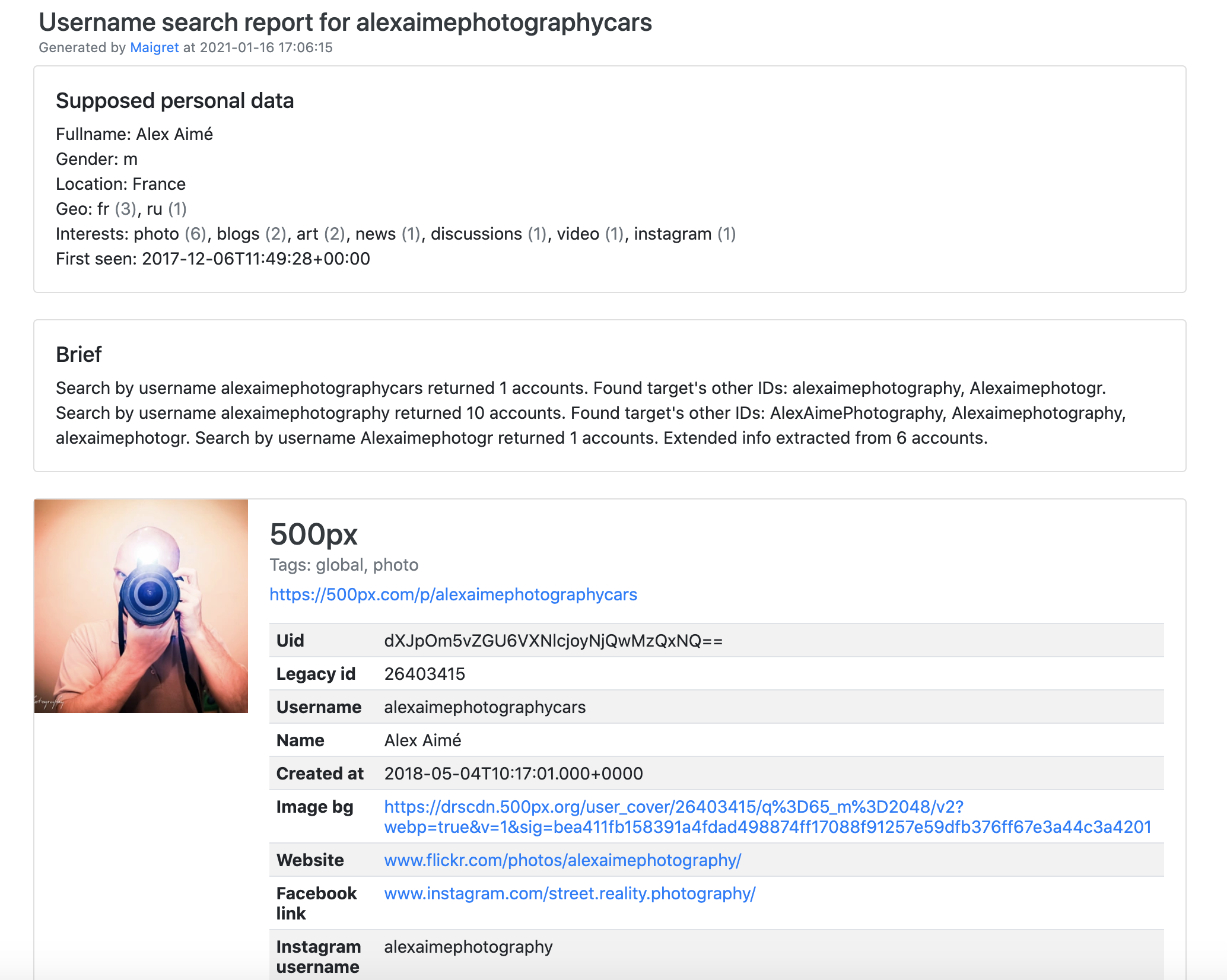
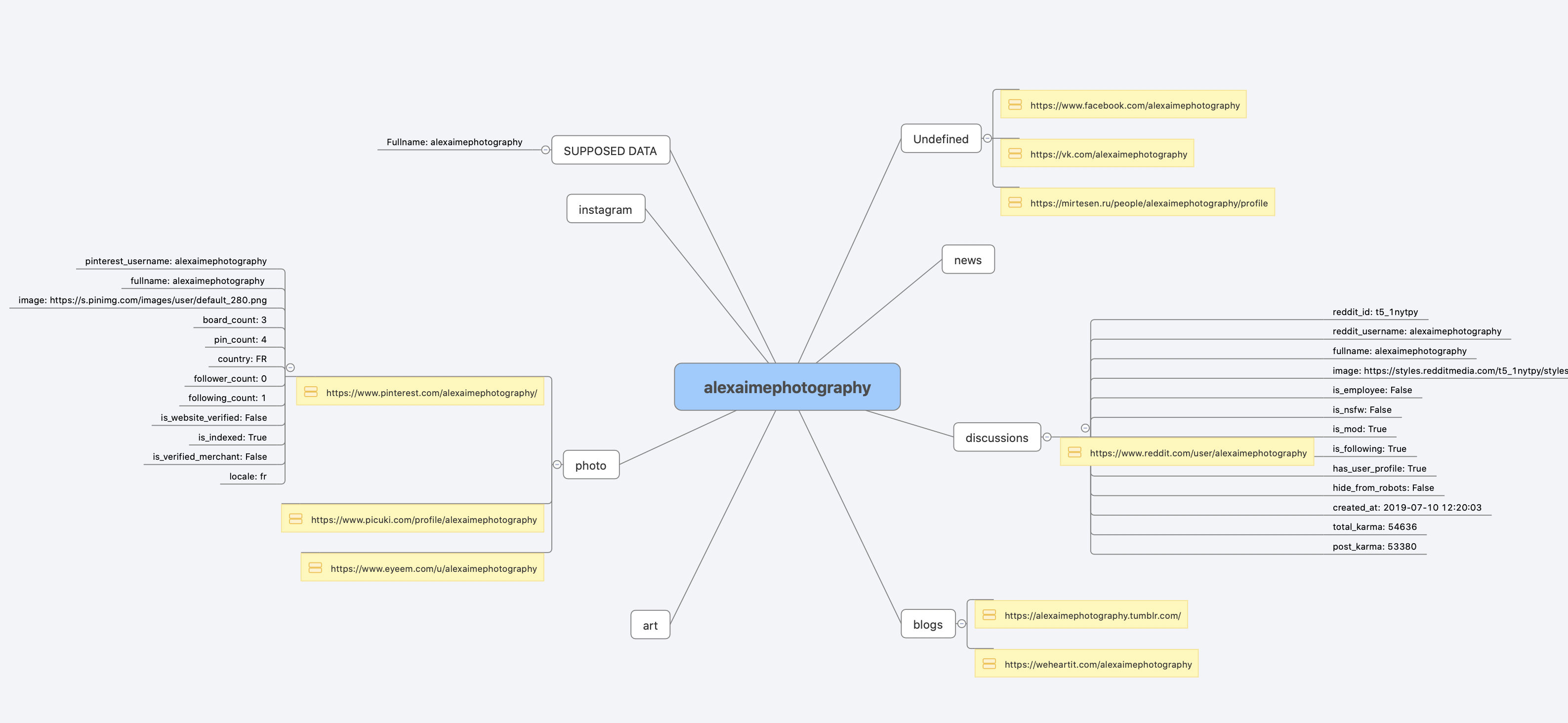
Demo with page parsing and recursive username search

License
MIT © Maigret
MIT © Sherlock Project
Original Creator of Sherlock Project - Siddharth Dushantha