# EasyTier
[](https://github.com/EasyTier/EasyTier/releases)
[](https://github.com/EasyTier/EasyTier/blob/main/LICENSE)
[](https://github.com/EasyTier/EasyTier/commits/main)
[](https://github.com/EasyTier/EasyTier/issues)
[](https://github.com/EasyTier/EasyTier/actions/workflows/core.yml)
[](https://github.com/EasyTier/EasyTier/actions/workflows/gui.yml)
[](https://github.com/EasyTier/EasyTier/actions/workflows/test.yml)
[](https://deepwiki.com/EasyTier/EasyTier)
[简体中文](/README_CN.md) | [English](/README.md)
> ✨ A simple, secure, decentralized SD-WAN solution powered by Rust and Tokio
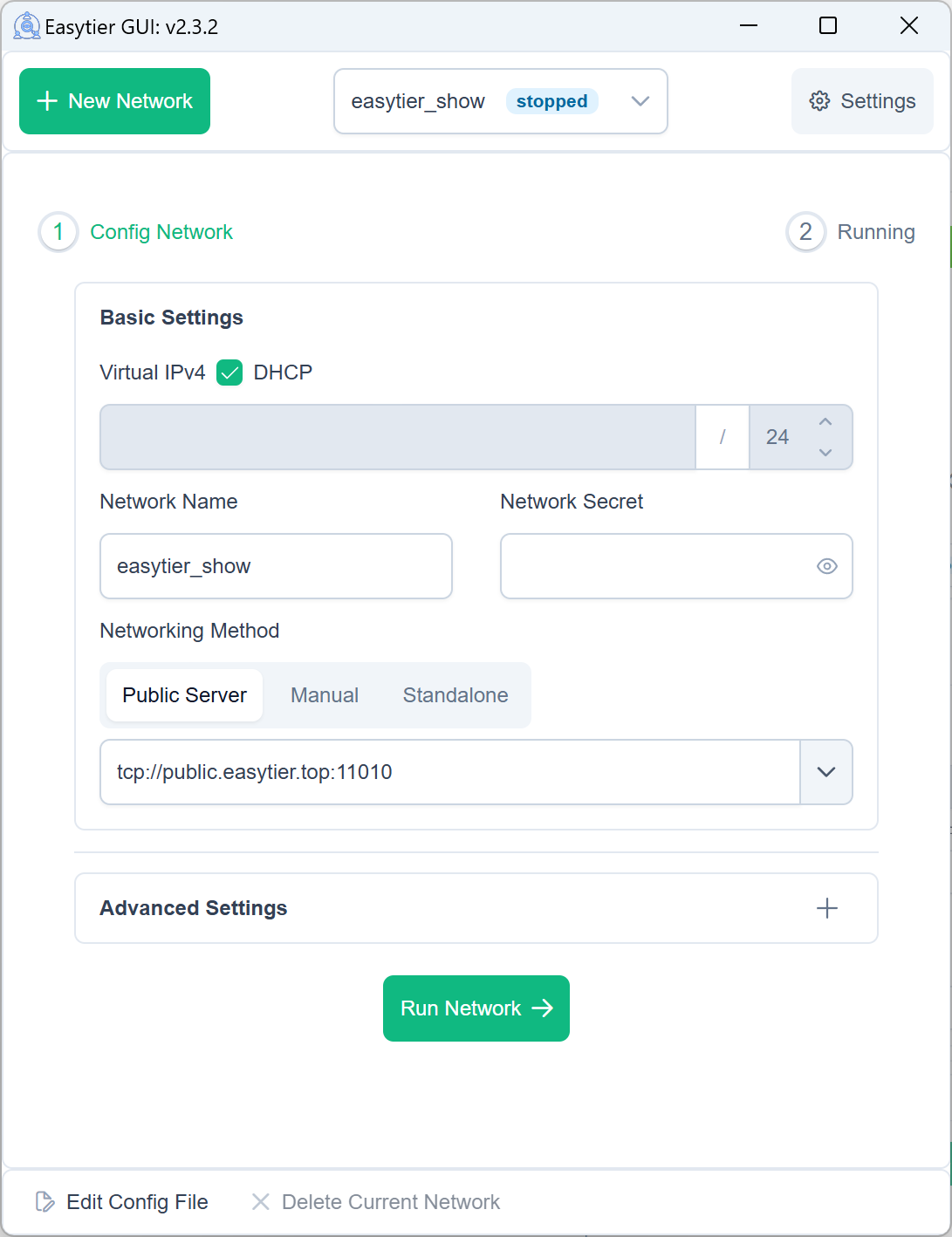
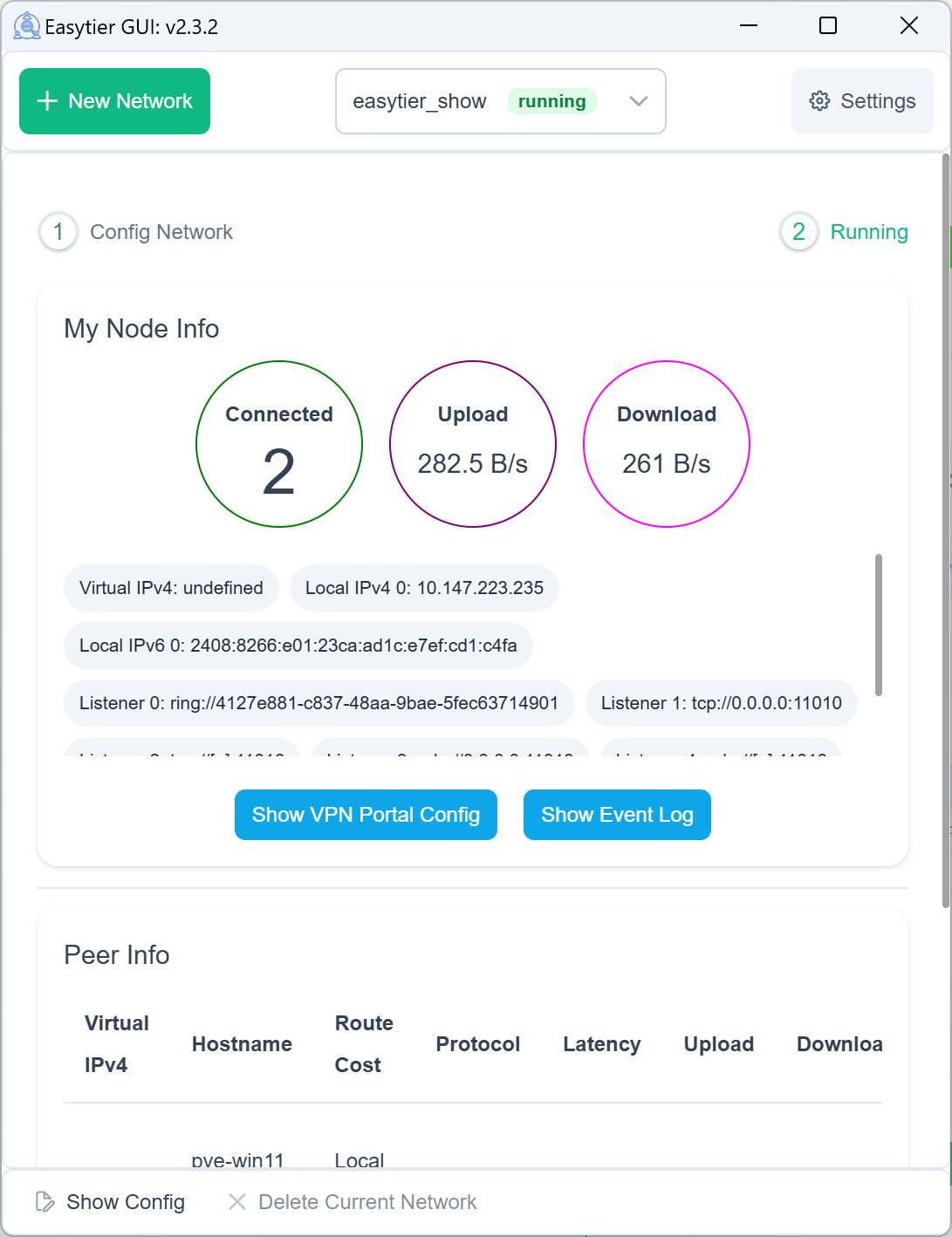
🌐 **[Official Website](https://easytier.rs)** | 📚 **[Documentation](https://easytier.rs/en/)** | 🚀 **[Get Started](https://easytier.rs/en/guide/introduction.html)** | 📝 **[Download Releases](https://github.com/EasyTier/EasyTier/releases)** | 🇨🇳 **[China Site](https://easytier.cn)** | ❤️ **[Sponsor](#sponsor)**
## Get Started
### Install
Linux:
```bash
curl -fsSL "https://github.com/EasyTier/EasyTier/blob/main/script/install.sh?raw=true" | sudo bash -s install
```
Windows (run with administrator privileges):
```powershell
irm "https://github.com/EasyTier/EasyTier/blob/main/script/install.ps1?raw=true" | iex
```
Homebrew (macOS/Linux):
```bash
brew tap brewforge/chinese
brew install --cask easytier-gui
```
Install from source (latest development version):
```bash
cargo install --git https://github.com/EasyTier/EasyTier.git easytier
```
More installation options:
- [CLI installation guide](https://easytier.rs/en/guide/installation.html)
- [GUI installation guide](https://easytier.rs/en/guide/installation_gui.html)
- [Pre-built binaries](https://github.com/EasyTier/EasyTier/releases)
- [OpenWrt package](https://github.com/EasyTier/luci-app-easytier)
- [One-click register service](https://easytier.rs/en/guide/network/oneclick-install-as-service.html)
### Quick Example
Join the same network from multiple nodes with a shared public node:
```bash
# Node A
sudo easytier-core -d --network-name demo --network-secret demo -p tcp://:11010
# Node B
sudo easytier-core -d --network-name demo --network-secret demo -p tcp://:11010
```
Use the same `--network-name` and `--network-secret` on every node to join the same network. After startup, check peers with `easytier-cli peer`, `easytier-cli route`, or `easytier-cli node`.
## Why EasyTier
- 🔒 **Decentralized**: Nodes are equal and independent, with no centralized controller required.
- 🚀 **Easy to Use**: Use EasyTier from the web console, GUI clients, or the command line.
- 🌍 **Cross-Platform**: Supports Windows, macOS, Linux, FreeBSD, Android, and multiple CPU architectures.
- 🔐 **Secure**: Protects traffic with AES-GCM or WireGuard encryption.
- 🔌 **Efficient NAT Traversal**: Supports UDP and IPv6 traversal, including NAT4-to-NAT4 scenarios.
- 🌐 **Subnet Proxy**: Share private subnets with other nodes in the virtual network.
- 🔄 **Intelligent Routing**: Chooses lower-latency paths automatically for a better network experience.
- ⚡ **High Performance**: Uses zero-copy data paths and supports TCP, UDP, WS, WSS, WG, QUIC, and more.
## Learn More
- [Introduction](https://easytier.rs/en/guide/introduction.html)
- [Command line networking](https://easytier.rs/en/guide/networking.html)
- [Decentralized networking](https://easytier.rs/en/guide/network/decentralized-networking.html)
- [Networking with web console](https://easytier.rs/en/guide/network/web-console.html)
- [WireGuard client access](https://easytier.rs/en/guide/network/use-easytier-with-wireguard-client.html)
- [Subnet proxy (point-to-network)](https://easytier.rs/en/guide/network/point-to-networking.html)
- [Bandwidth and latency optimization](https://easytier.rs/en/guide/network/kcp-proxy.html)
- [Hosting public shared nodes](https://easytier.rs/en/guide/network/host-public-server.html)
- [Third-party graphical interfaces](https://easytier.rs/en/guide/installation_gui.html#third-party-graphical-interfaces)
## Community
- 💬 **[Telegram Group](https://t.me/easytier)**
- 👥 **QQ Groups**: [No.1 949700262](https://qm.qq.com/q/wFoTUChqZW), [No.2 837676408](https://qm.qq.com/q/4V33DrfgHe), [No.3 957189589](https://qm.qq.com/q/YNyTQjwlai)
## License
EasyTier is released under the [LGPL-3.0](https://github.com/EasyTier/EasyTier/blob/main/LICENSE).
## Sponsor
CDN acceleration and security protection for this project are sponsored by Tencent EdgeOne.

Special thanks to [Langlang Cloud](https://langlangy.cn/?i26c5a5) and [RainCloud](https://www.rainyun.com/NjM0NzQ1_) for sponsoring our public servers.


If you find EasyTier helpful, please consider sponsoring us. Software development and maintenance require time and effort, and your sponsorship helps us keep improving EasyTier.